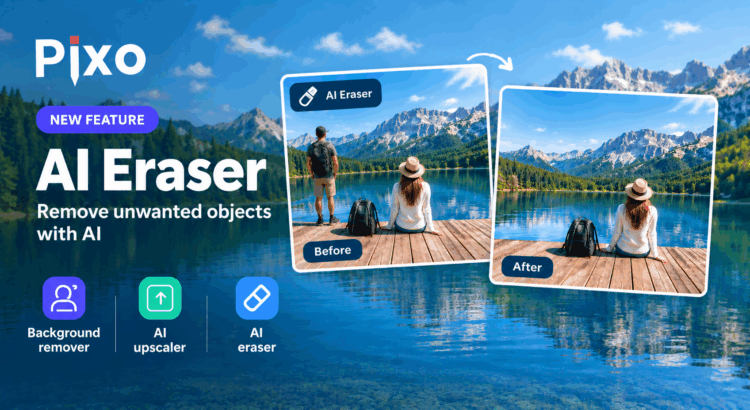
We’re extremely happy to announce another exciting AI-powered feature for Pixo – AI Eraser! Sometimes you have a great photo, but there is something in it that you simply don’t want to be there. A person in the background, an unwanted object, a sign, a cable, or just about anything else. With the new AI Eraser tool, end users can simply mark the object they want to remove, and Pixo uses AI to remove it and intelligently fill the empty area with a predicted continuation of the image background. No complicated editing. No need to carefully clone parts of the image manually. Just mark the unwanted object and let AI do the work.
How does it work?
The idea is simple. The user paints a mask over the object that should disappear. Pixo then sends the image and the selected area for AI processing. The AI analyzes the surrounding image and generates a new background that fits naturally into the removed area. This works particularly well for removing things such as people, objects, signs, wires and other distractions from photos.
Another AI tool for Pixo
AI Eraser is not an isolated feature. It is the latest addition to Pixo’s growing collection of AI-powered image editing tools. Back in 2021, we introduced the Background tool, which uses machine learning to automatically remove the background from an image. It can also replace the background with a solid color or another image. Then, in 2023, we added AI image upscaling. When an image is enlarged, Pixo can use AI to improve the result and make the enlarged image clearer and better. And now there is AI Eraser.
Three AI tools, three different jobs
These tools solve different image editing problems:
- Background removal – remove the entire background from an image or replace it with another background.
- AI Upscaling – enlarge an image while using AI to improve its quality.
- AI Eraser – remove selected objects from an image and reconstruct the background behind them.
Together, they give applications integrating Pixo considerably more powerful image editing capabilities without having to build and maintain their own AI image processing infrastructure. And, of course, all of this is part of Pixo. Developers can integrate the editor into their own websites and applications and give their users these capabilities as part of their existing image editing workflow.
What’s next?
We’re not finished yet. Image generation using a text prompt is coming soon! This will allow users to describe what they want to create and let AI generate an image from their words. With background removal, AI upscaling, AI object removal and, soon, AI image generation, we are getting very close to completing the full circle of AI image editing tools in Pixo. Stay tuned – there is more AI coming to Pixo!
